Lara Translate + Manus
Connect Lara Translate
with Manus
- Translate inside every conversation — Use Lara's dedicated translation engine directly within Manus via MCP. No copy-pasting, no context switching — just seamless multilingual support.
- Access 200+ languages with professional accuracy — Lara's adaptive Translation Language Models deliver nuanced, domain-aware translations that outperform general-purpose LLMs, especially for non-English content, technical docs, marketing, or customer communication.
- Set up once, use everywhere — Once connected, Lara becomes a native capability across Manus, enabling your agent to handle multilingual tasks, automate global workflows, generate localized content, and more.
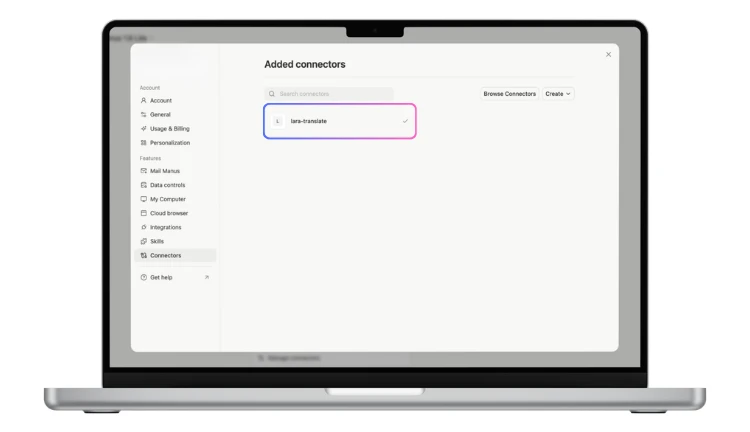
How to connect Lara Translate to Manus
Add Lara using the Import MCP by JSON feature.
1
Go to Plugins
In Manus, click Plugins in the left sidebar.
2
Create → Import MCP by JSON
Click Create (top right), then select Import MCP by JSON.
3
Paste the JSON configuration
Paste the following and replace the placeholders with your Lara credentials.
"lara-translate": {
"command": "npx",
"args": [
"-y",
"@translated/lara-mcp@latest"
],
"env": {
"LARA_ACCESS_KEY_ID": "<LARA_ACCESS_KEY_ID>",
"LARA_ACCESS_KEY_SECRET": "<LARA_ACCESS_KEY_SECRET>"
}
}
4
Import, Verify & Save
Click Import, verify the connection, and save/publish it.
Lara Translate is now ready to use inside Manus!
Frequently Asked Questions
Need assistance?
- For technical support and product inquiries, write to support@laratranslate.com.
- To purchase individual plans, check out our Pricing Page.